StatFlare Analytics
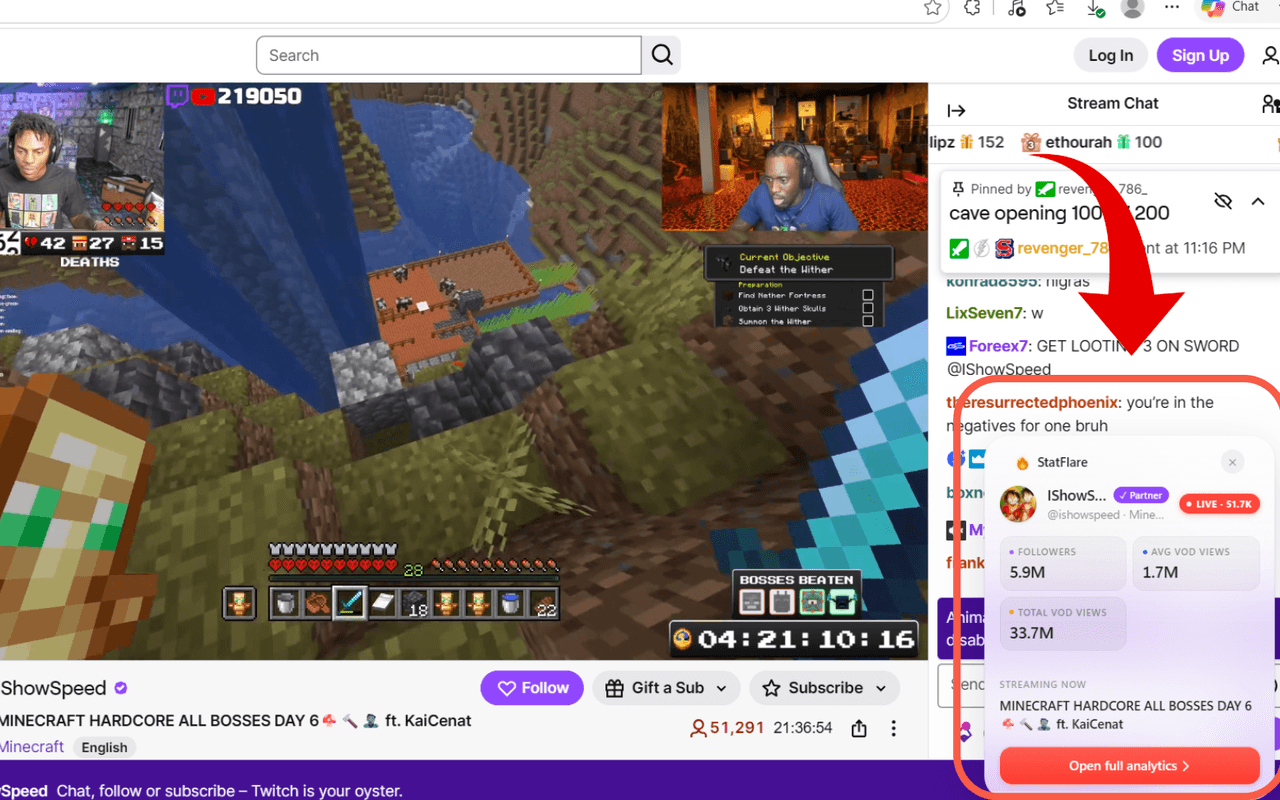
See public YouTube and Twitch channel stats in a compact card right on the channel page.
Free to install and use without a StatFlare account.
 StatFlare
What the extension does
YouTube channel stats
See subscribers, total views, and upload count. Check the latest video's views, likes, and comments when available.
Twitch stream stats
Check followers, live status, viewer count while streaming, and views for a sample of recent broadcasts.
A card you can minimize
Shrink the card to a floating bubble. Channel lookups pause while it’s minimized and resume when you reopen it.
How it works
Add the extension
Choose your browser above, then review the store’s permission prompt and confirm the installation.
Open a channel page
Visit a YouTube creator’s channel or a Twitch streamer’s channel. Reload the tab if it was open before you installed.
Read the card or open the dashboard
Look for the StatFlare card in the page corner. If it’s minimized, select the flame icon. Use Open full analytics to visit the channel’s StatFlare dashboard.